Training
In a workout only the next set matters.
Big digits, one tap per set. The rest timer runs as a Live Activity on the Lock Screen and in the Dynamic Island, even when the device is locked.

Currently a pre-release through TestFlight. How to get access

 BoringWise
Sleep, heart rate and HRV against your own last 30 days. Training and nutrition in the same app.
Free. You write an email, we reply personally with the TestFlight link.


Your own range instead of population norms, calculated from your last 30 days.
A coach that checks first, before it answers. Right on your iPhone with Apple Intelligence.1
Training and nutrition work without one. For sleep, heart rate and HRV you need an Apple Watch or another device that writes to Apple Health.3
RequirementsRuns on iOS 18 or later. With the yearly plan you try the ChatGPT connection for a week at no cost.2
See pricingiPhone model and iOS version are already in there as fields.
We reply personally with the TestFlight link.
First TestFlight from the App Store, then BoringWise. You keep your data when you later move to the App Store.
The same HRV means recovery for one person and strain for another. BoringWise only compares you with you.
Four days fall outside your range. All the others are usual for you. BoringWise is not a medical device and does not diagnose.
| Day | HRV (ms) | Status |
|---|---|---|
| Day 1 | 59 | in range |
| Day 2 | 63 | in range |
| Day 3 | 66 | in range |
| Day 4 | 61 | in range |
| Day 5 | 56 | in range |
| Day 6 | 58 | in range |
| Day 7 | 64 | in range |
| Day 8 | 68 | in range |
| Day 9 | 65 | in range |
| Day 10 | 60 | in range |
| Day 11 | 52 | below |
| Day 12 | 57 | in range |
| Day 13 | 63 | in range |
| Day 14 | 66 | in range |
| Day 15 | 60 | in range |
| Day 16 | 67 | in range |
| Day 17 | 69 | above |
| Day 18 | 64 | in range |
| Day 19 | 58 | in range |
| Day 20 | 55 | below |
| Day 21 | 61 | in range |
| Day 22 | 65 | in range |
| Day 23 | 73 | above |
| Day 24 | 68 | in range |
| Day 25 | 63 | in range |
| Day 26 | 59 | in range |
| Day 27 | 64 | in range |
| Day 28 | 66 | in range |
| Day 29 | 61 | in range |
| Day 30 | 64 | in range |
Window
30
days
The app calculates your average and your spread from them.
Minimum
5
data points
Before that, the app shows just the value, with no context.
Band width
±1
standard deviation
That is how wide the band sits around your average.
From the values of your last 30 days, the app calculates your average and measures how much they usually spread. From five data points on, it places a band around this average. Today’s value does not count. A day outside only means: unusual for you. BoringWise is not a medical device and does not diagnose.
Plans, workout and statistics. Built for the minute between two sets.

Training
Big digits, one tap per set. The rest timer runs as a Live Activity on the Lock Screen and in the Dynamic Island, even when the device is locked.
Your best and your last session sit above every set. After the tap the rest starts by itself.
As many training days as you have. Exercises from the catalogue with muscle groups.

Volume, strength and frequency over time. It counts in weeks, so a rest day breaks nothing.

Estimated one-rep max in kg, twelve weeks. The axis starts at 115 kg.
| Week | 1RM |
|---|---|
| Week 1 | 119 kg |
| Week 2 | 119.5 kg |
| Week 3 | 120.5 kg |
| Week 4 | 120 kg |
| Week 5 | 121.5 kg |
| Week 6 | 122.5 kg |
| Week 7 | 122 kg |
| Week 8 | 123.5 kg |
| Week 9 | 124.5 kg |
| Week 10 | 125 kg |
| Week 11 | 126 kg |
| Week 12 | 126.5 kg |
Weight moved per week in tonnes. Deload weeks stay visible.
| Week | Volume | Type |
|---|---|---|
| Week 1 | 11.2 t | Build |
| Week 2 | 12.4 t | Build |
| Week 3 | 12.1 t | Build |
| Week 4 | 13.6 t | Build |
| Week 5 | 9.8 t | Deload |
| Week 6 | 13.9 t | Build |
| Week 7 | 14.4 t | Build |
| Week 8 | 14.1 t | Build |
| Week 9 | 15.2 t | Build |
| Week 10 | 10.4 t | Deload |
| Week 11 | 15.8 t | Build |
| Week 12 | 16.3 t | Build |
Sleep, heart rate, HRV and VO₂max from Apple Health, read against your own history.

Each area has its own color. How full a segment is shows how it is rated. With no data, it stays pale.
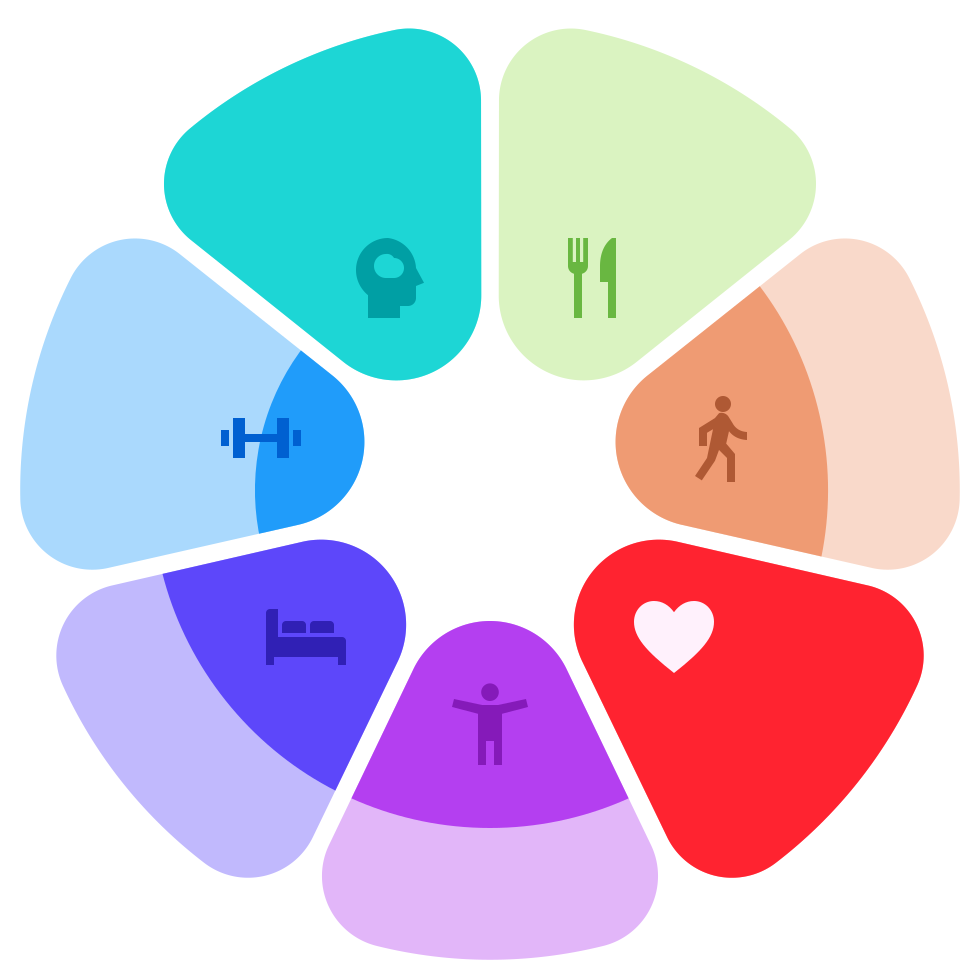 Example
Sleep
Deep, core, REM and awake as tracks, with heart rate, HRV or respiratory rate on top. The sleep score names its factors: duration, continuity, regularity and efficiency.

Recovery
The band behind the curve shows what is usual for you. One tap overlays your resting heart rate.

Fitness
Calendar-accurate over weeks and months. Plus respiratory rate, wrist temperature and blood oxygen if your device provides them.

Two panels, one time axis. 7:19 hours in bed, 7:05 of them asleep.
| Time | Stage | Heart rate (bpm) |
|---|---|---|
| 23:10 | Core | 64 |
| 23:20 | Core | 62 |
| 23:30 | Core | 59 |
| 23:40 | Deep | 56 |
| 23:50 | Deep | 54 |
| 0:00 | Deep | 52 |
| 0:10 | Core | 53 |
| 0:20 | Core | 55 |
| 0:30 | Core | 58 |
| 0:40 | Core | 57 |
| 0:50 | REM | 55 |
| 1:00 | REM | 53 |
| 1:10 | Core | 51 |
| 1:20 | Core | 50 |
| 1:30 | Core | 52 |
| 1:40 | Core | 54 |
| 1:50 | Core | 57 |
| 2:00 | Deep | 59 |
| 2:10 | Deep | 58 |
| 2:20 | Deep | 56 |
| 2:30 | Core | 54 |
| 2:40 | Core | 53 |
| 2:50 | Core | 55 |
| 2:59 | Core | 58 |
| 3:09 | REM | 60 |
| 3:19 | REM | 57 |
| 3:29 | REM | 55 |
| 3:39 | Awake | 54 |
| 3:49 | Core | 56 |
| 3:59 | Core | 59 |
| 4:09 | Core | 57 |
| 4:19 | Core | 55 |
| 4:29 | Core | 54 |
| 4:39 | REM | 56 |
| 4:49 | REM | 58 |
| 4:59 | REM | 61 |
| 5:09 | Core | 59 |
| 5:19 | Core | 57 |
| 5:29 | Core | 56 |
| 5:39 | REM | 58 |
| 5:49 | REM | 60 |
| 5:59 | REM | 59 |
| 6:09 | Core | 57 |
| 6:19 | Core | 58 |
| 6:29 | Core | 61 |
Request accessFree to start. Currently through TestFlight.
Meals, macros and supplements in one place. Unknown nutrients stay unknown.

Nutrition
The app calculates macro targets from height, weight, activity and goal. Logged meals are written to Apple Health.
Before it answers, it reads your recent sessions, your plan and your Health data.
Example
How was my recovery this week?
Resting heart rate in your usual range, HRV above your average on three nights. Tuesday’s push day no longer showed on Wednesday.
Turn that into a plan for tomorrow.
Pull day, five exercises from your catalogue, 90-second rests. Shall I save it as a training day?

With Apple Intelligence, right on the device. It is part of the free app.1

You connect your own ChatGPT account. Plans and meals from the chat go straight into the app.

Why boring
From the outside, progress looks like nothing. The same plan, the same kitchen, the same night, week after week. BoringWise is built for people who know that and need no streaks to keep going.
Recovery
62ms
HRV, in your range
Sleep
7:05hrs
Deep, Core, REM and Awake
Heart
56bpm
Heart rate at night
Training
95kg×10
Personal best, bench press
Nutrition
1160of 2200 kcal
Pro charges for one thing only: the connection to your ChatGPT account.
€79.99 per year
Equals €6.67 a month. The first 7 days are free.2
€9.99 per month
No trial. Twelve months come to €119.88.
Request accessBilled through the App Store. The subscription renews automatically until you cancel it in iOS Settings at least 24 hours before it ends.
Currently as a pre-release through TestFlight. Send us an email and we reply personally with the link. You install TestFlight from the App Store and then BoringWise. You keep your data when you later move to the App Store version.
An iPhone with iOS 18 or later. The on-device coach needs an iPhone with Apple Intelligence and iOS 26, such as iPhone 15 Pro or later.
Not for training and nutrition. For sleep, heart rate and HRV you need an Apple Watch or another device that writes to Apple Health.
The connection to your own ChatGPT account: training plans, nutrition plans and meals from the chat go straight into the app. Everything else stays free. If you cancel Pro, your data stays.
Unless you cancel, the yearly subscription starts, as with any App Store subscription. You can cancel any time in iOS Settings under Subscriptions, free of charge up to 24 hours before the trial ends. The monthly plan has no trial.
Yes. You do not need a subscription. The account keeps training, nutrition and weight in sync across devices. Sign in with Apple or with a sign-in link sent to your email, no password. You can delete it in the app.
Training, nutrition, weight and profile are stored encrypted in a database in Frankfurt, readable only by your account. The app analyses Health data right on the iPhone. Details are in the privacy policy.

Your mail app should be open now. If not, write to support@boringwise.com with the subject “Early access to BoringWise”. We reply personally with the TestFlight link.